TelePro: Teleprompter Camera app icon

TelePro: Teleprompter Camera

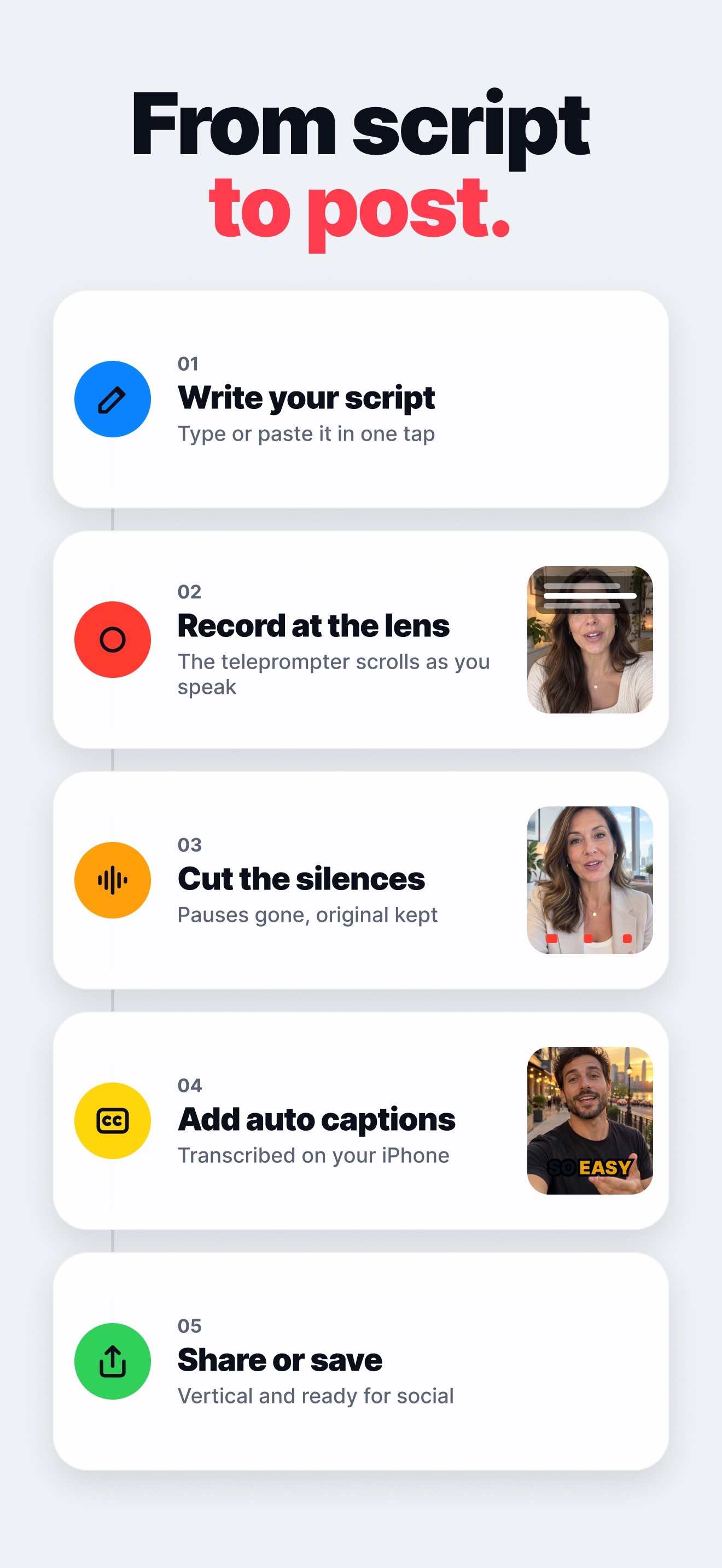
Read your script right next to the lens while you record. TelePro cuts the pauses and adds auto captions on your iPhone, fully offline.

Platform iPhone · iOS 26+
Works Offline
Editing Silences + captions
Languages 6 languages
Pro 3-day free trial

Key features

A teleprompter on the camera

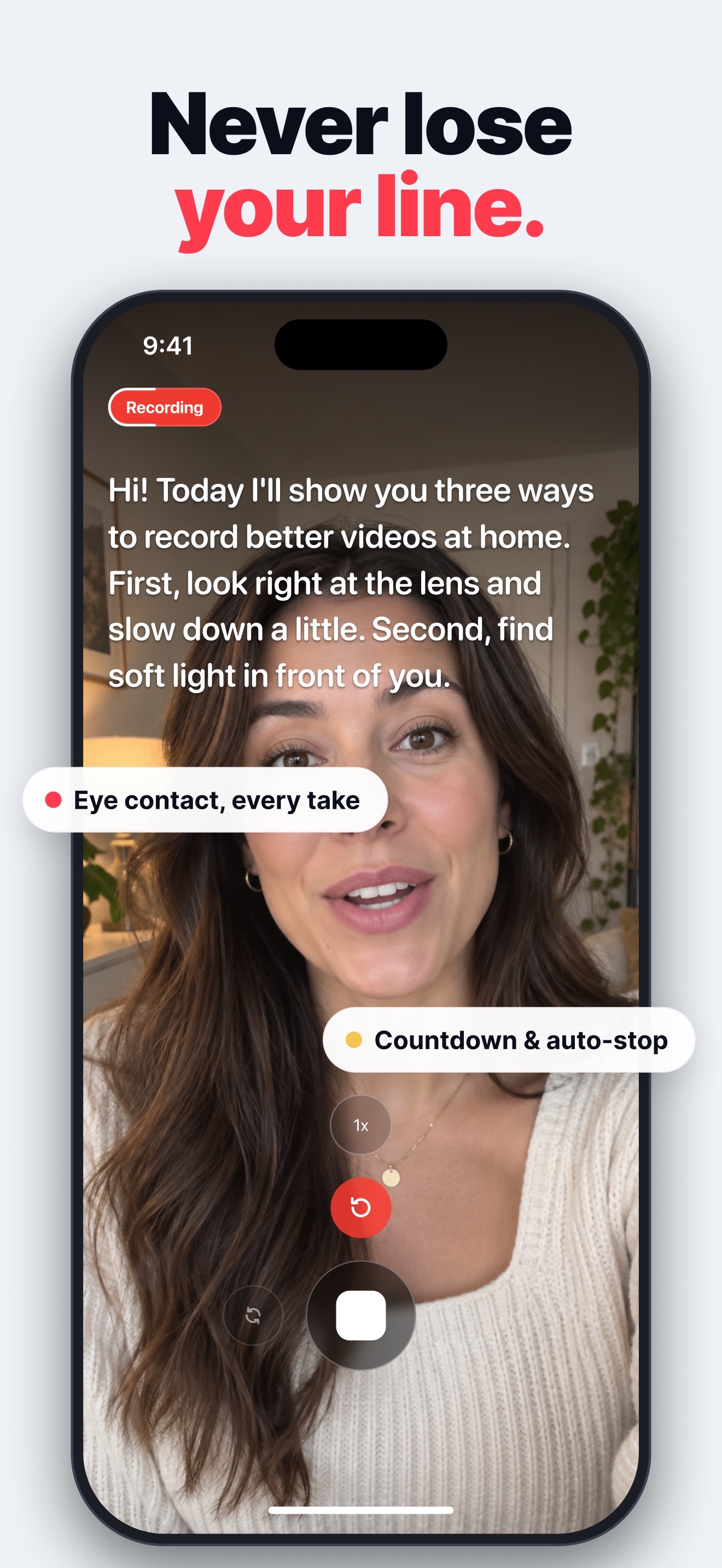
Write or paste your script and read it right next to the lens. You keep eye contact, never lose your line and finish in one take.
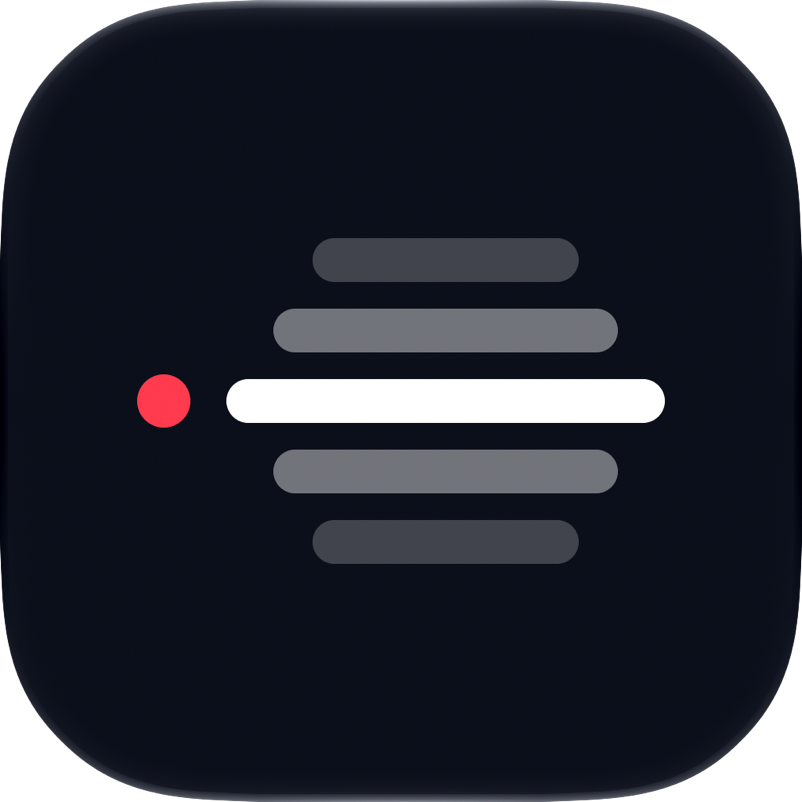
Your pace, your way

Choose slow, normal or fast, set the font size and how many lines stay visible. A countdown starts the take and the recording can stop by itself when the script ends.

Remove silences in one tap

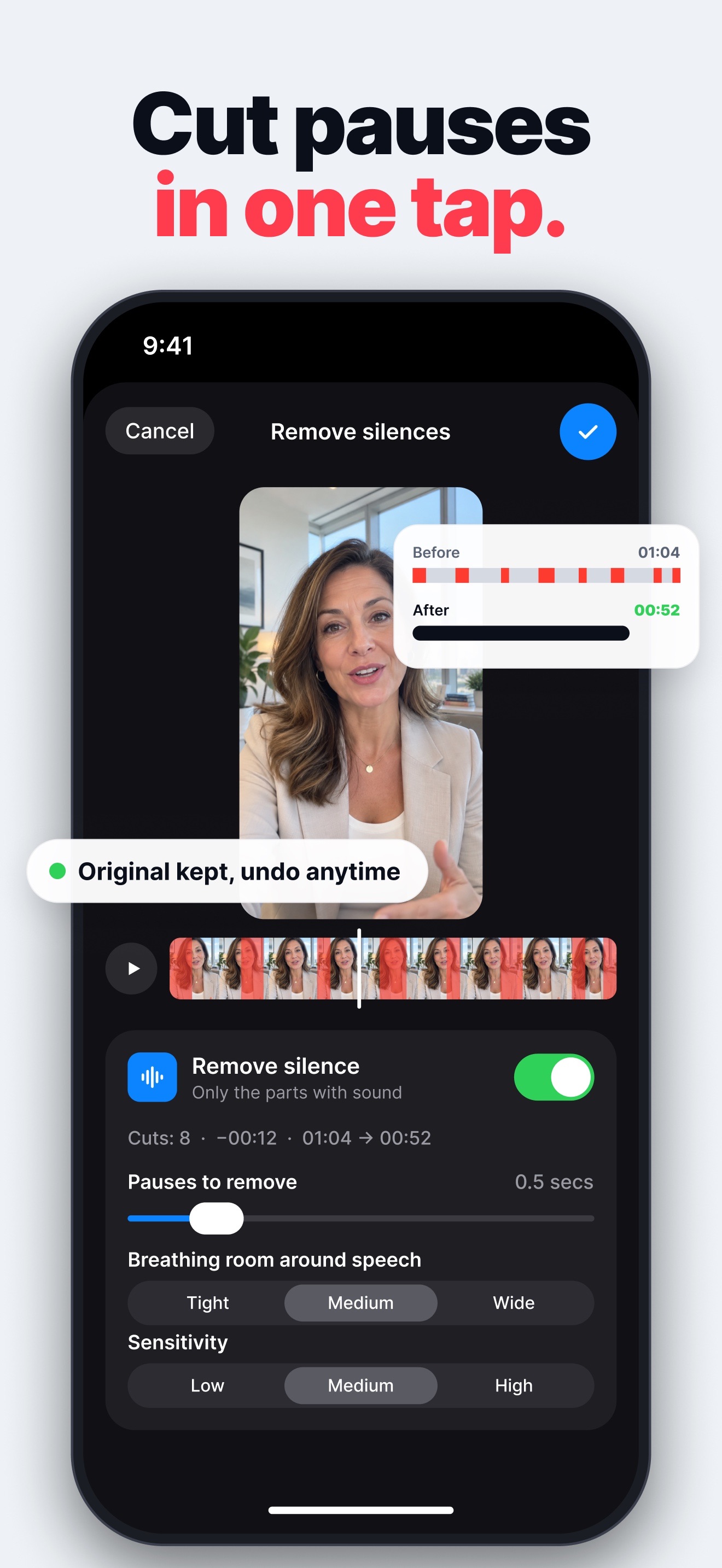
TelePro finds the pauses in your take and marks them on the timeline. Choose the pause length, breathing room and sensitivity, preview the cut and undo whenever you want.

Auto captions on your iPhone

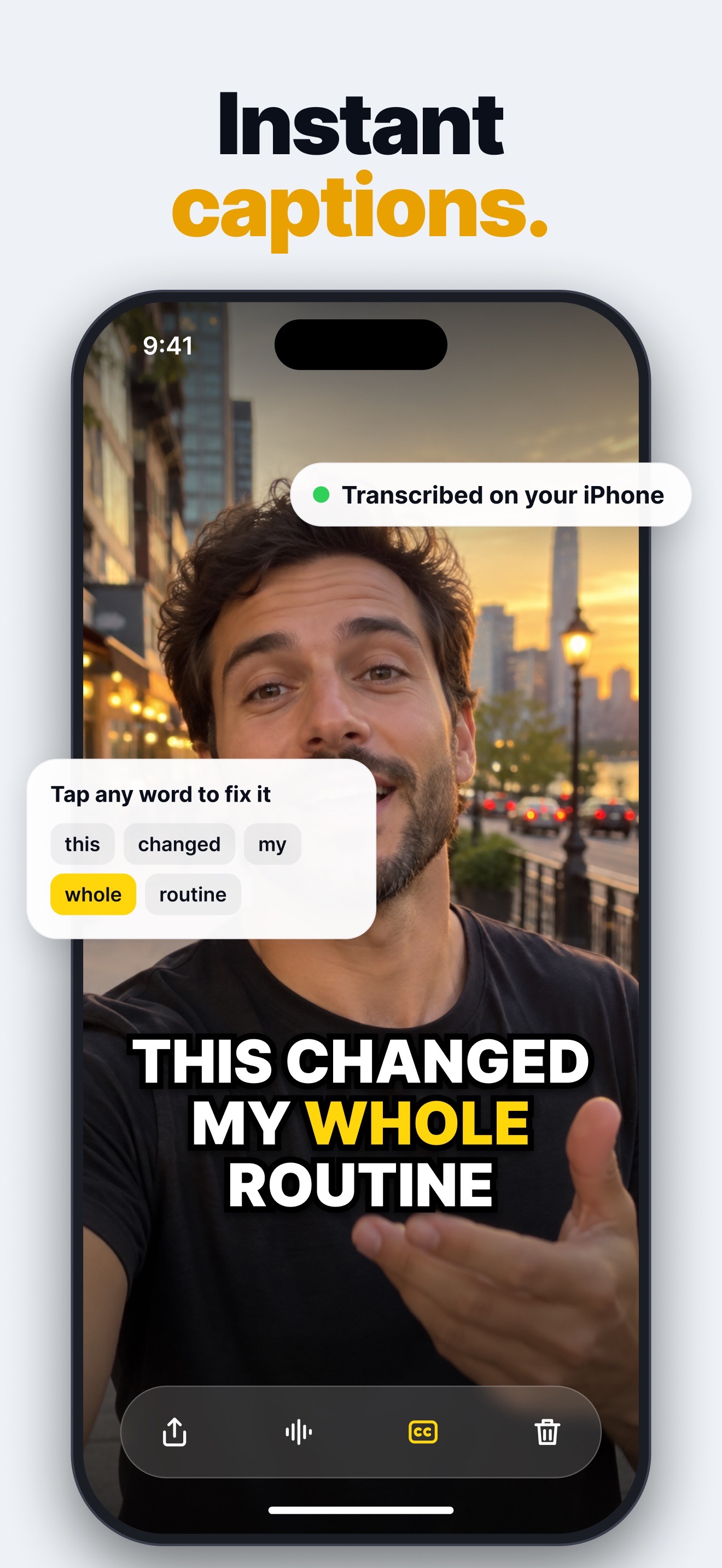
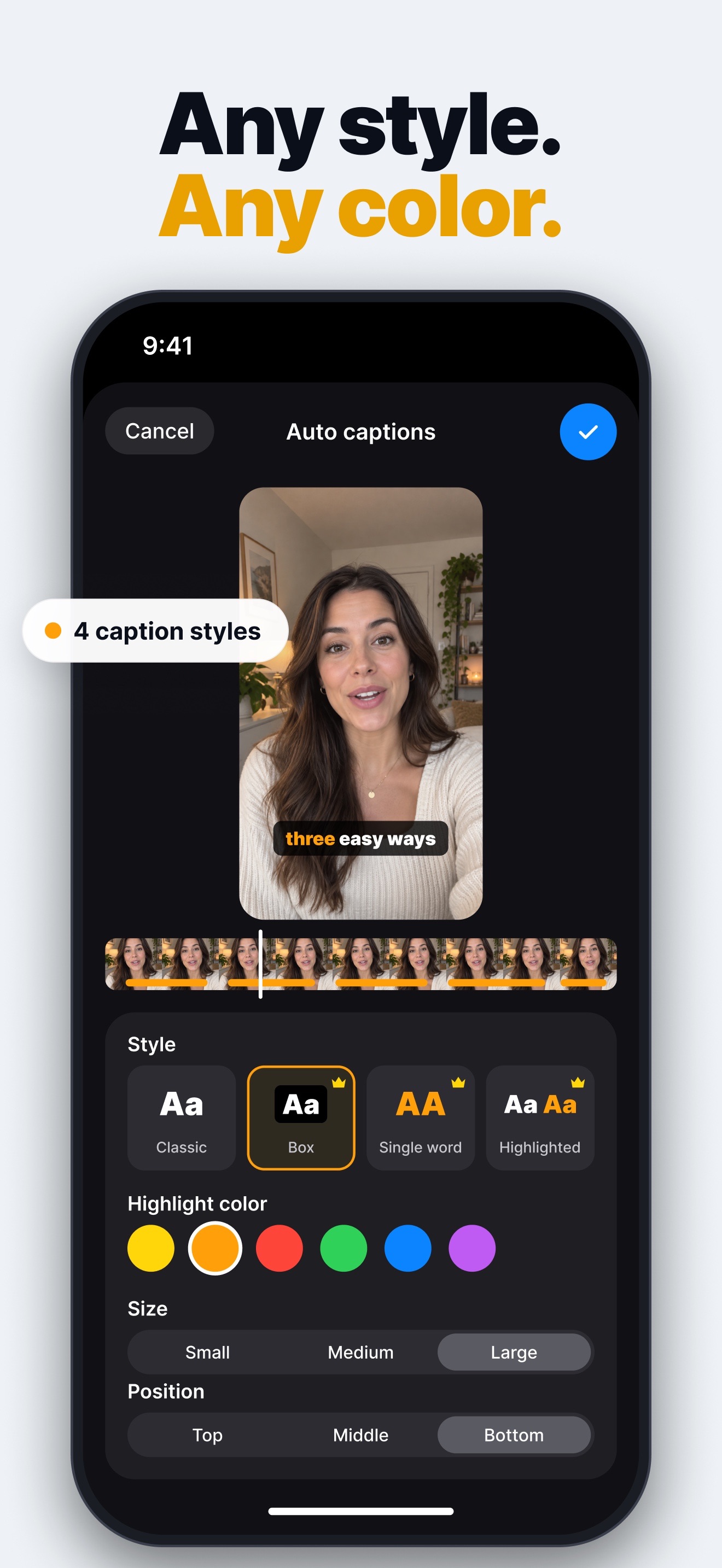
Speech is transcribed on the device, so your audio never leaves your iPhone. Tap any word to fix it, pick a style and color, then share the video with the captions burned in.

Fully offline and private

Recording, the teleprompter, silence removal and captions all run on your iPhone, without an account. Your videos stay in the app gallery until you choose to share them.

Ready for social video

Vertical video, a safe-area guide that keeps your face clear of social app buttons, and saving to Photos or sharing in one tap.

Best for

Creators and social video

Record Reels, TikToks and Shorts looking at the lens, cut the dead air and post with captions people can read without sound.

Teachers, coaches and founders

Tutorials, lessons, product demos, pitches and presentations recorded in one take, with your script always in sight.

FAQ

What is TelePro?

TelePro is a teleprompter camera for iPhone. Your script scrolls right next to the lens while you record, and then you can cut the silences and add auto captions without leaving the app.

Does TelePro work offline?

Yes. Recording, the teleprompter, silence removal and auto captions run on your iPhone with no internet connection and no account. The only exceptions are the first download of a language’s speech model by iOS, purchases through the App Store and sharing your videos.

How does the teleprompter work?

Write or paste your script, choose the speed, font size and visible lines, then record. The text scrolls next to the front camera, with an optional countdown and an automatic stop when the script ends.

How does Remove silences work?

TelePro analyzes the audio of your take on the device, marks the pauses on the timeline and lets you set the pause length, breathing room and sensitivity. You can preview with and without the cuts, and the original is kept so you can undo anytime.

Are the captions uploaded anywhere?

No. Auto captions use Apple’s on-device speech recognition, so your audio is transcribed on your iPhone. You can fix any word, change the style, color, size and position, and share the video with the captions burned in.

What is free and what is in Pro?

The free version records videos up to 15 seconds, previews silence removal and adds captions in the classic style. TelePro Pro unlocks recording without a time limit, the teleprompter while you record, saving your scripts, applying silence cuts and every caption style.

How much is TelePro Pro?

TelePro Pro is a yearly auto-renewing subscription with a 3-day free trial for eligible new subscribers. The price in your currency appears in the app before you confirm. You can cancel anytime in your Apple Account settings, at least 24 hours before the renewal.

How do I restore my purchase?

In the app, open Settings, tap the subscription card and then Restore purchases on the subscription screen. TelePro checks your Apple Account and unlocks Pro again at no extra cost, on a new iPhone or after reinstalling the app.